
🐣 Easter Egg Hunt × Cubee
You found the egg. Now let Helio hatch the perfect print.
Stop guessing. Stop wasting filament. Helio predicts print failures before your first layer — so every print comes out right the first time.
💡 Running Helio Beta?
You're in the right place.
Download the latest Beta release here.
Start from Step 1 if you're new to Helio. Existing users, jump to Step 2.
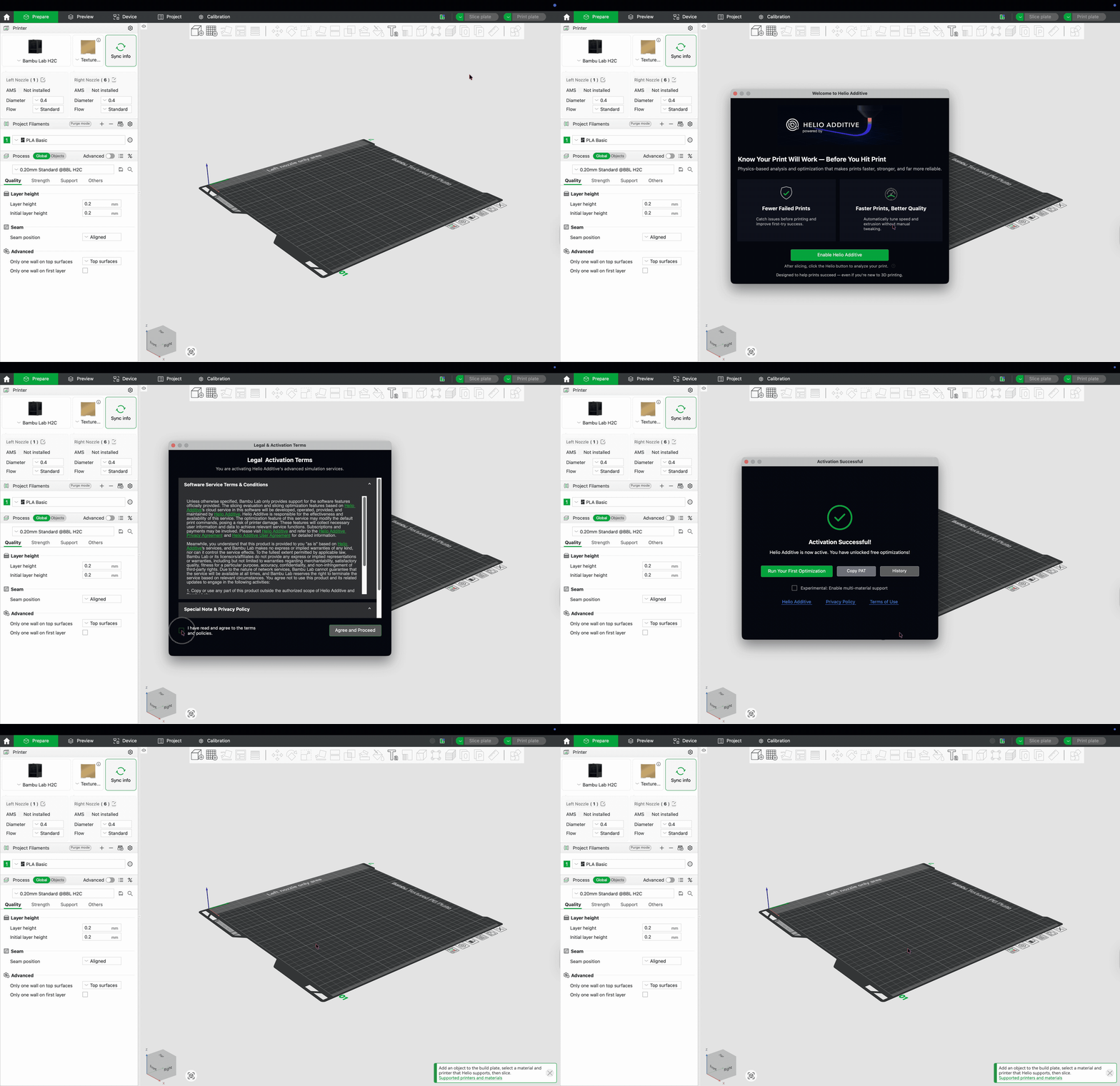
Step 1: Enable Helio
~30 seconds
Bambu Studio → Third Party Icon → Enable Helio Additive → Run Your First Optimisation
Step 2: Set up your account
~1 minute
Slice an object → Helio Icon → Enhance → Manage Account → Verify Email via OTP
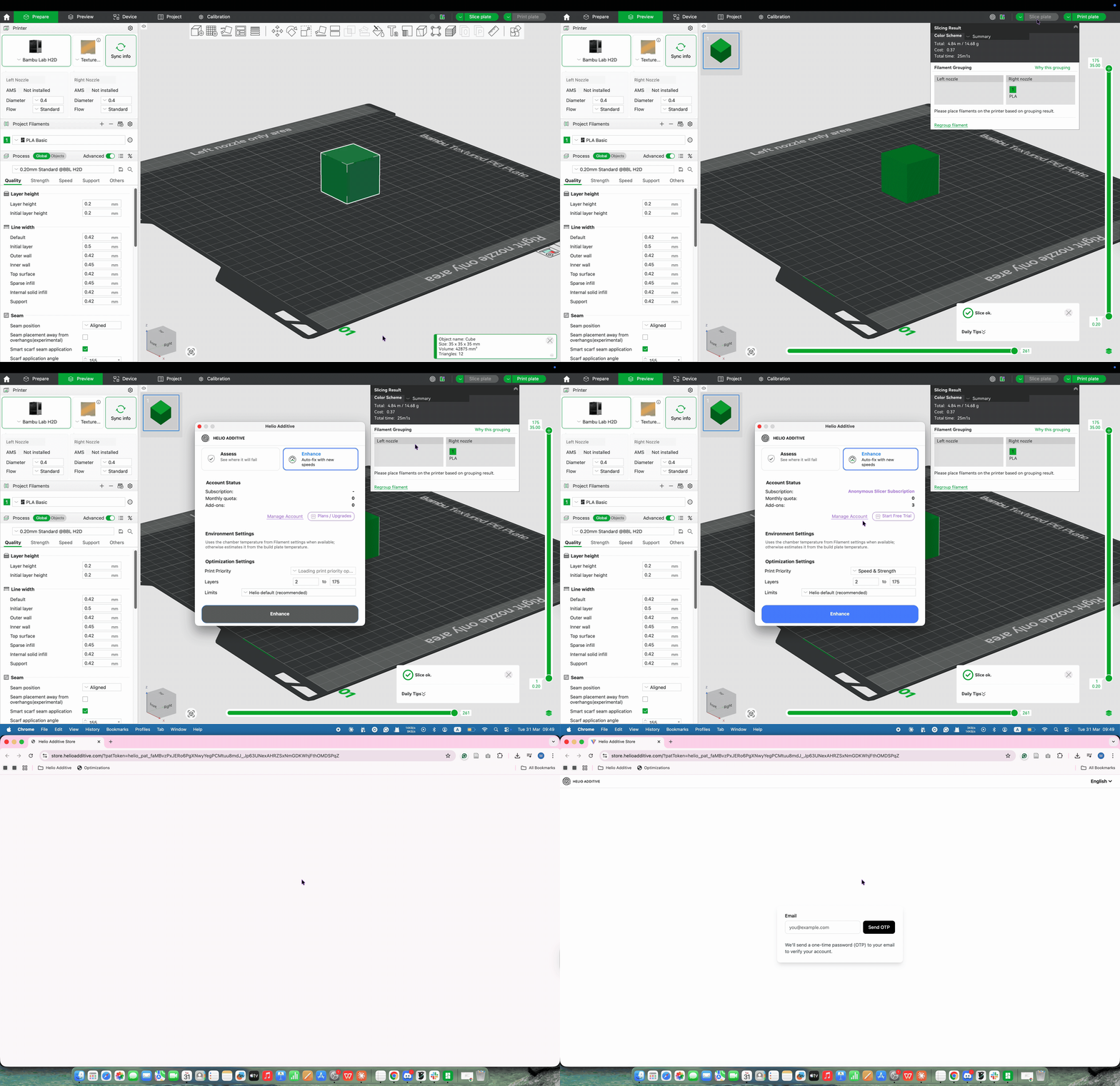
🎁 New to Helio?
You can activate your 14-day free trial first — and save your Easter code to use after the trial expires. Nothing wasted.
Step 3: Pick a plan
~2 minutes
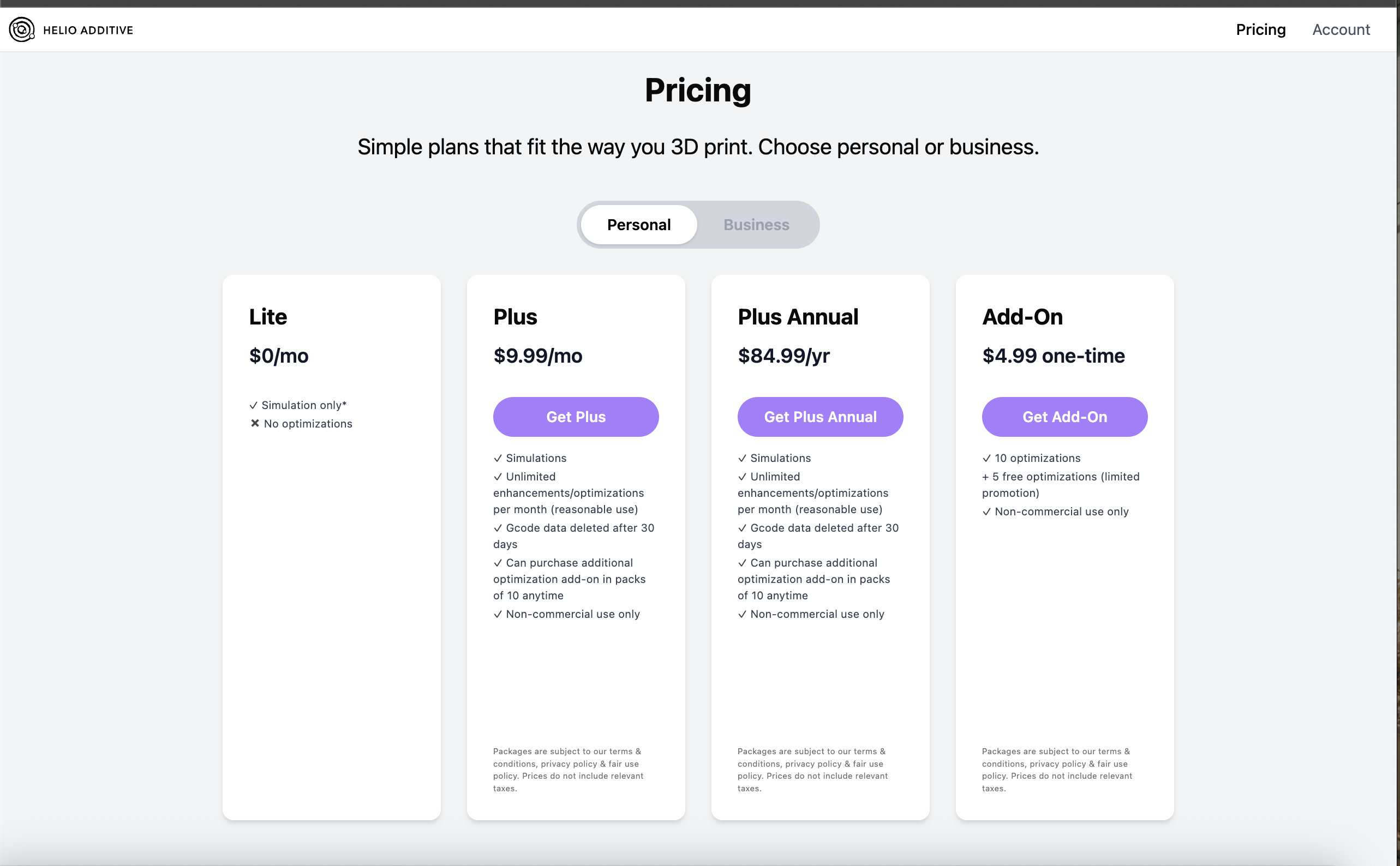
Head to our pricing page and pick your plan. Your discount code applies to personal and business plans — add-ons not included.
Pricing page
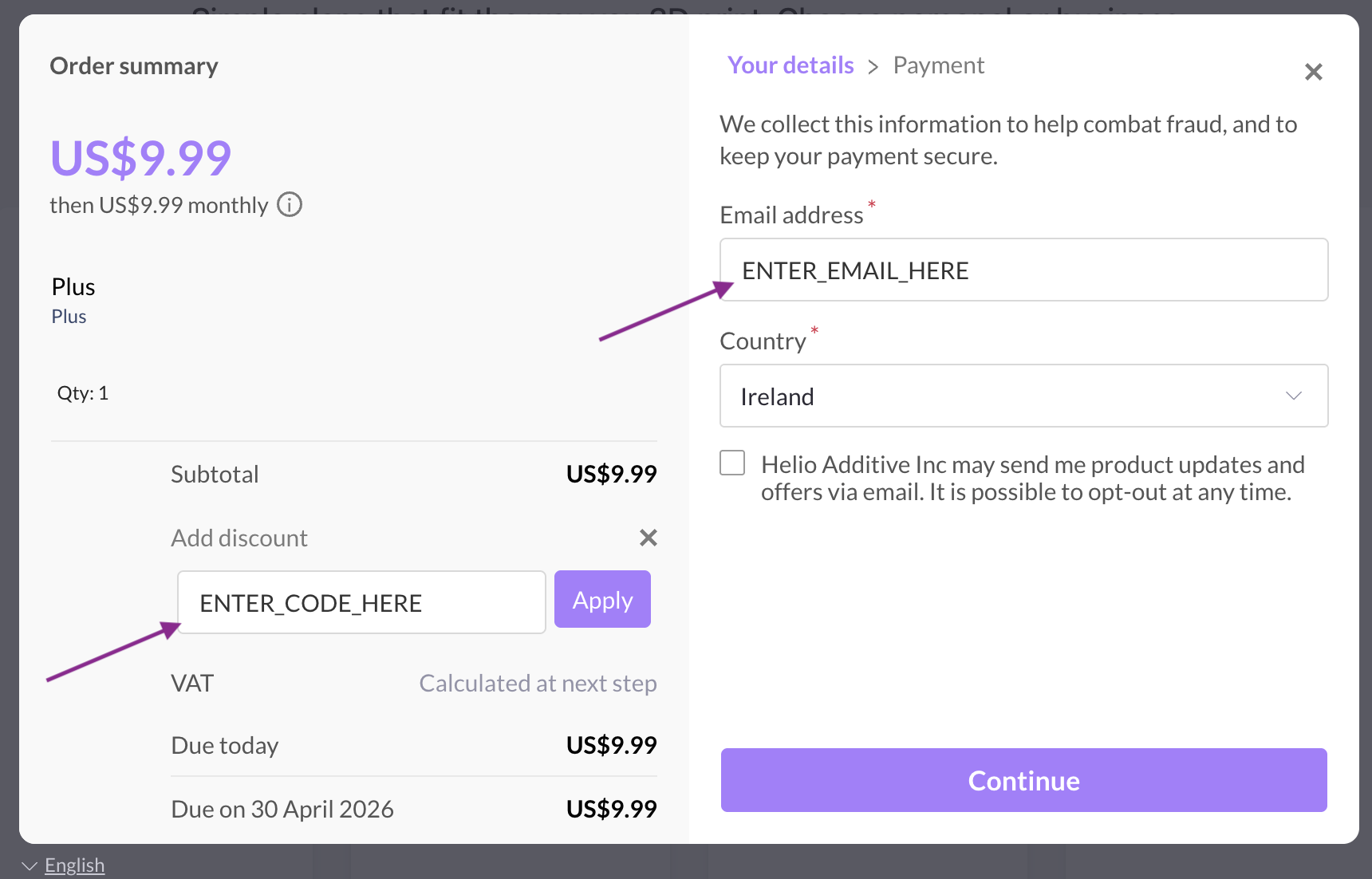
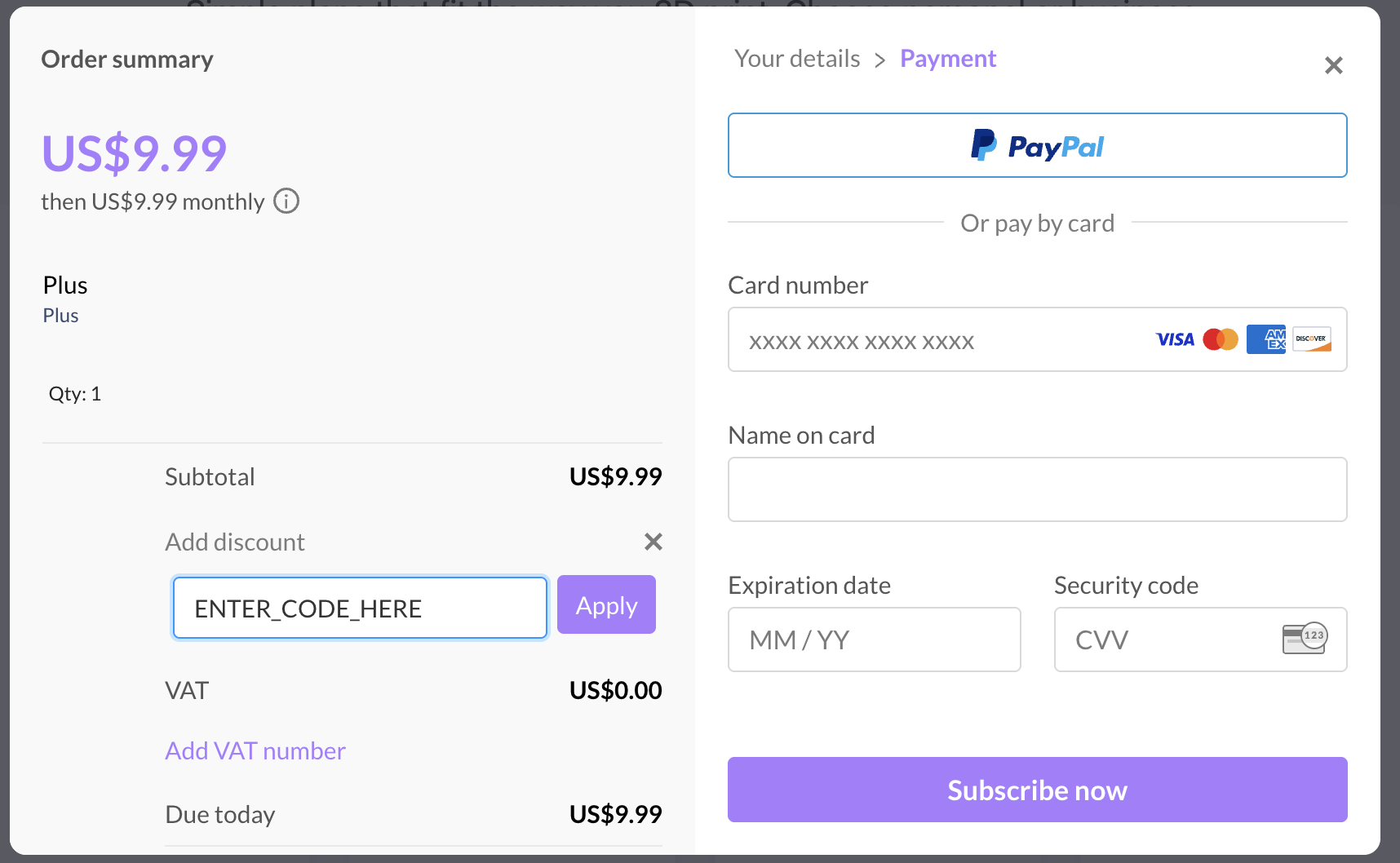
At checkout, enter your discount code in the promo field and click Apply. Then fill in your details and click Continue.
Enter your details & discount code
Enter payment details & subscribe
Step 4: Start Enhancing
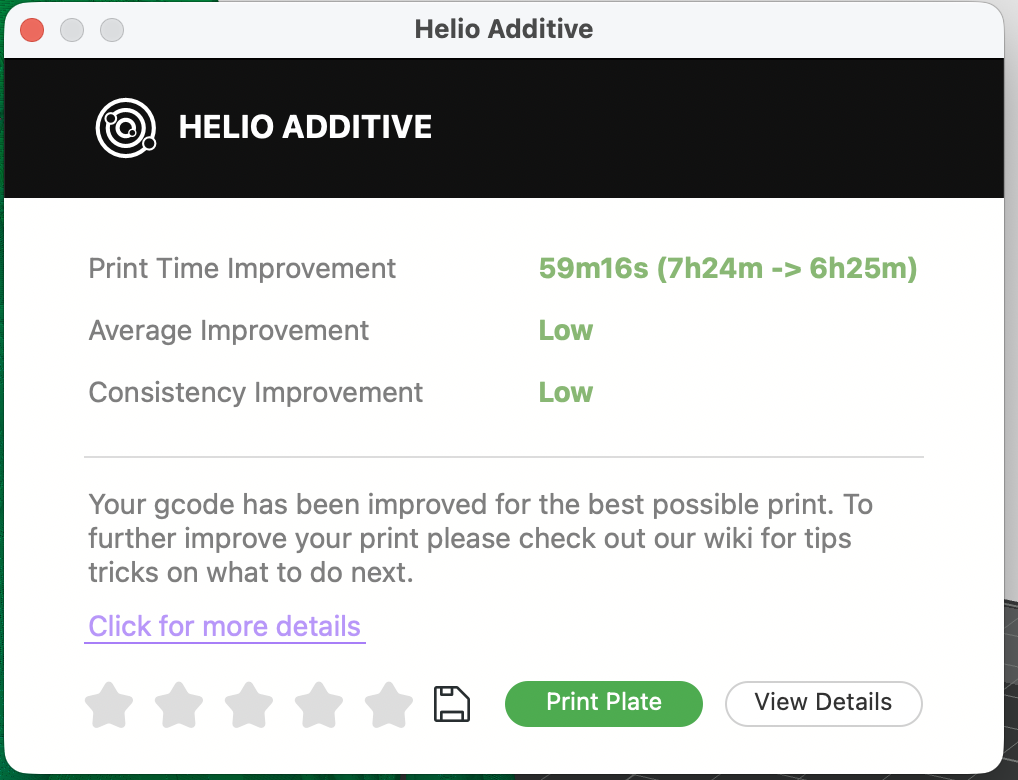
Back in Bambu Studio: Slice an object → Helio Icon → Enhance — and enjoy unlimited optimisations.
That's it. Happy printing — and happy Easter. 🐣
Got questions or need support?
- 📖 Check out our Wiki for guides, tips, and documentation
- 💬 Join our Discord community — we're always happy to help